시스템프로그래밍 중간정리(lect2)
리눅스기반 C언어
윈도우 프롬프트나 powershell에서 "ssh username@address" 로 입장한다. -> putty도 사용가능.
chatGPT선생이 말씀하시길
시스템 프로그래밍은 운영체제와 같은 시스템 소프트웨어를 개발하는 것을 말합니다. 이러한 소프트웨어는 하드웨어와 상호 작용하여 컴퓨터 시스템을 제어하고 관리합니다. 시스템 프로그래밍은 하드웨어와 소프트웨어 간의 상호 작용을 이해하고, 메모리 관리, 입출력, 프로세스 스케줄링, 파일 시스템 등과 같은 시스템 리소스를 효율적으로 활용하기 위한 기술을 사용합니다.
Linux Basic Commands
- ps: 현재 실행 중인 프로세스 정보를 보여주는 명령어입니다. ps 명령어는 프로세스 ID, 실행 시간, CPU 사용량 등을 포함한 정보를 출력할 수 있습니다.
- who: 현재 시스템에 로그인한 사용자 정보를 보여주는 명령어입니다. who 명령어는 로그인한 사용자 이름, 로그인 시간, 터미널 번호 등을 출력할 수 있습니다.
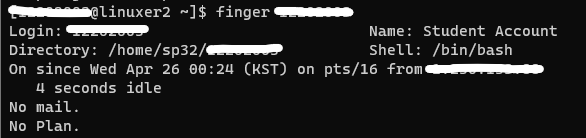
- finger: 특정 사용자의 정보를 출력하는 명령어입니다. finger 명령어는 사용자 이름, 로그인 시간, 마지막으로 읽은 이메일, 로그인한 호스트 등의 정보를 출력할 수 있습니다.
- top: 현재 시스템에서 실행 중인 프로세스들의 CPU 사용량, 메모리 사용량 등을 실시간으로 모니터링할 수 있는 명령어입니다. top 명령어는 시스템 자원 사용량이 많은 프로세스들을 확인할 수 있습니다.
- last: 최근에 시스템에 로그인한 사용자의 정보를 보여주는 명령어입니다. last 명령어는 로그인한 사용자 이름, 로그인 시간, 로그아웃 시간 등을 출력할 수 있습니다.
- history: 사용자가 이전에 실행한 명령어의 리스트를 보여주는 명령어입니다. history 명령어는 이전에 실행한 명령어의 번호와 해당 명령어를 출력할 수 있습니다. 이를 이용해 이전에 입력했던 명령어를 재사용할 수 있습니다.

/bin 디렉토리에는 기본적인 리눅스 명령어와 관련된 실행 파일(binary file)들이 저장되어 있습니다. 이러한 파일들은 리눅스 운영체제에서 시스템 관리, 파일 처리, 네트워크 통신, 프로세스 제어 등과 같은 기본적인 기능을 제공합니다.
다음은 일반적으로 /bin 디렉토리에 저장되어 있는 파일들의 예시입니다.
- cat: 파일 내용을 출력하는 명령어
- cp: 파일이나 디렉토리를 복사하는 명령어
- ls: 현재 디렉토리의 파일과 디렉토리 목록을 출력하는 명령어
- mkdir: 새로운 디렉토리를 생성하는 명령어
- rm: 파일이나 디렉토리를 삭제하는 명령어
- mv: 파일이나 디렉토리를 이동하거나 이름을 변경하는 명령어
- bash: 기본 셸(shell)로 사용되는 GNU Bourne-Again SHell
shell special symbols
. : current directory
cp f1 ./f2 -- copy f1 to f2 in the current directory
.. : parent directory
cp f1 ../f2 -- copy f1 to f2 in the parent directory
> : standard output redirection
cat f1 > f3 -- display the content of f1 in f3 (same effect as “cp f1 f3”)
| : pipe. redirect the standard output of the first program
into the standard input of the second program
cat f1 | more -- display the contents of f1 with "more" which will
display the contents screen by screen
* : match any file name
ls b* -- diplay all file/directory names that start with ‘b’
Basic Commands (ls, pwd, cd)
ls : listing files and directories in the current directory
ls : list all files
ls –l : list all files in detail
-rwxr-xr-x 1 linuxer1 linuxer1 14 Feb 26 2013 f1
ls –al : list all files including hidden files
ls ex* : list all files whose name start with “ex”
pwd : show the current directory (Present Working Directory)
cd : change current directory
cd / : go to the “/” directory (the root directory)
cd /dev : go to /dev
cd .. : go to the parent directory
cd . : go to the current directory(no moving)
cd : go to the home directory (the directory you enter when logging)
Basic Commands (man)
man : shows the usage of commands/system calls/c-lib functions etc. space to move to the next screen.‘q’ to exit.
man ls : shows the usage of "ls" command
man 1 kill : shows the usage of “kill” command
man 2 kill : shows the usage of “kill” system call
man kill : same as “man 1 kill”
man 3 printf :
shows the usage of "printf" c library functions
man printf : same as "man 3 printf"
Basic Commands (ps)
ps : listing processes
ps : show the processes of the current user
PID TTY TIME CMD
12009 tty1 00:00:00 bash
..............
PID: process ID
TTY: terminal id for this process
TIME: time spent on this process
CMD: executable file name for this process
ps –ef : show all processes of all users
ps –ef | more : pipeline the output of “ps –ef” to “more”
“more” will show the result of
“ps –ef” screen by screen
Basic Commands (mkdir, rmdir, echo, cp, rm, mv)
mkdir : make a directory
mkdir d1
rmdir : remove a directory
echo : echo
echo korea : echo korea
echo korea > f1 : redirect the standard output file of
“echo” to f1.
As a result “korea” will be written to file f1.
cp, rm, mv: copy, remove, change the name of a file
cp f1 f2 : copy file f1 to file f2
cp f1 f4
rm f4 : remove file f4
mv f2 f3 : change the name of file f2 to f3
Basic Commands (grep, cat)
grep : search a string
grep –nr “ko” * :
find all files that contain string "ko"
–n means show the line number that contains “ko”
–r means “do this recursively for all sub-directories
* means “all files” in the current directory.
cat : show the contents of a file
cat f1 : show the contents of f1
cat f1 > f2 : redirect the standard output file of “cat” to f2.
As a result, the data in f1 will be copied to f2.
cat > f3 : Read data from keyboard and send them to f3.
^D will end the input.
위에는 없지만 xxd 명령어도 중요하다.
